 COME
COMECOME Gaming App Help Evidence: Prepare the Support Evidence
For preparing evidence for gaming-app help, give product support the task, time, exact message and redacted evidence through the appropriate help route.
A screen that loads slowly, a missing history item and a question about activity cost need different reports. Explain the observed result without asserting a cause that the screen does not show.
Choose the route from the problem
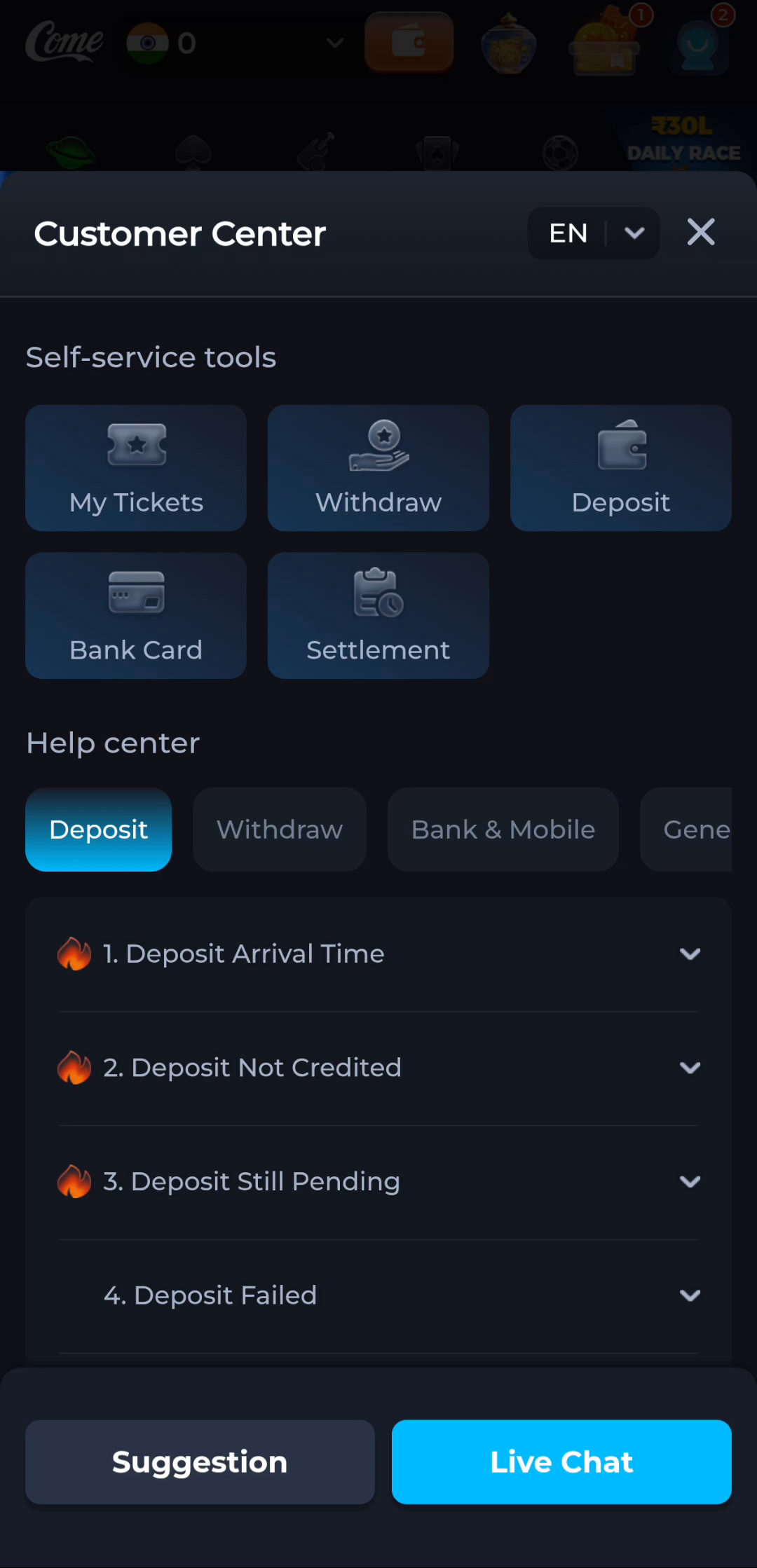
The COME profile menu includes Contact CS, while the Customer Center shows My Tickets and topic groups such as Withdraw, Deposit, Bank Card and Settlement. General help includes account and connection questions. Choose the category matching the actual problem rather than posting the same complaint everywhere.
This information website cannot open an account record, reset credentials or decide an individual product dispute. Use the intended product's current private help route. A public article is useful for understanding the steps, but it is not a ticket submission.
Write a short sequence
Describe what you were trying to do, the last step that worked, the step that failed and the exact message. Include the observation time and time zone if timing matters. Device model, Android version and app version can help with a reproducible technical issue.
Separate an observation from your proposed cause. The screen stayed on loading is an observation; the server lost my request is a conclusion that needs additional evidence. Clear wording helps the recipient investigate the correct stage.
Attach only relevant evidence
A screenshot should show the affected screen and message while hiding unrelated personal details. Do not include passwords, OTPs, payment PINs, full card details or other people's information. If a private support process asks for an identifier, check the route and share only what that process needs.
For a transaction question, use the product record associated with the action rather than repeating the action to create a demonstration. Preserve the original confirmation or reference privately. A refreshed screen is not a reliable substitute for the transaction state.
Keep the reply connected to the request
Retain the ticket reference when one is actually issued and check updates through the same product route. Do not promise a resolution deadline that the service has not stated. A received message, an acknowledged ticket and a resolved issue are different stages.
If someone contacts you outside that route claiming to solve the issue for a payment or a verification code, return independently to the product help system to check. Do not move secrets into an unsolicited conversation.
Apply this to preparing evidence for gaming-app help
Identify the category and last successful step, then choose the matching product help route. The account menu contains Contact CS and the Customer Center separates topic groups. Include the exact message and relevant redacted evidence.
In this situation, complete the relevant check before repeating another stage. Give product support the task, time, exact message and redacted evidence through the appropriate help route. Keep the result with the exact screen or file so a later step can use it instead of starting the whole process again.
A practical completion check
- Choose the relevant product help category.
- Prepare a short sequence and redacted evidence.
- Retain the actual ticket acknowledgement and follow the same route.
Questions about this task
What should a first report contain?
The task, last successful step, exact error, time and relevant device details.
Does this article send a support ticket?
No. Submit through the intended product help route and keep its actual acknowledgement.
A related next step
For preparing evidence for gaming-app help, distinguish the product interface, Android package and browser page so that each action has a clear result.